Arma Reforger Script API
Loading...
Searching...
No Matches
AnimatedColliderComponent Interface Reference

This component provides ability to have a changing animation variable, which will be replicated and fully handled by this component. More...

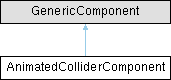
Inheritance diagram for AnimatedColliderComponent:

Public Member Functions

proto external void StartMovement (bool bIncrease)
 Increase parameter tells us if you want to start increasing or decreasing the animation variable.
 
proto external void StopMovement ()
 
proto external bool IsMoving ()
 
proto external bool IsIncreasing ()
 This method returns if we are currently increasing or decreasing.
 
proto external bool IsIncreasingWanted ()
 This returns what is the requested variable change.
 
proto external float GetVariableValue ()
 
proto external string GetVariableName ()
 

Detailed Description

This component provides ability to have a changing animation variable, which will be replicated and fully handled by this component.

This component does check if a physical collision is caused by this variable and stops changing the animation variable if needed to stop collisions. To prevent more collisions by repeatedly starting movement in the same direction, there's an optional reverse time before starting the movement. Starting and stopping of the animation variable change is done using methods StartMovement and StopMovemnent. This component requires BaseItemAnimationComponent and a physics component to be present. Using properties, you can set how the animation variable changes, which colliders are changed(and should be checked) with the animation variable and which way the collider moves with the animation variable increasing by setting a normal on a mesh bone of the entity. If set in the property, this component can animate mesh/colliders even when the animation component isn't ticking.

Member Function Documentation

◆ GetVariableName()

proto external string AnimatedColliderComponent.GetVariableName ( )

◆ GetVariableValue()

proto external float AnimatedColliderComponent.GetVariableValue ( )

◆ IsIncreasing()

proto external bool AnimatedColliderComponent.IsIncreasing ( )

This method returns if we are currently increasing or decreasing.

This means that when we requrested increase, but there was a collision, which makes the variable decrease a little before increasing, this method will first return false and then true when the variable actually starts increasing. The return value only makes sense if its moving(IsMoving returns true).

◆ IsIncreasingWanted()

proto external bool AnimatedColliderComponent.IsIncreasingWanted ( )

This returns what is the requested variable change.

The return value only makes sense if its moving(IsMoving returns true).
◆ IsMoving()

proto external bool AnimatedColliderComponent.IsMoving ( )

◆ StartMovement()

proto external void AnimatedColliderComponent.StartMovement ( bool bIncrease)

Increase parameter tells us if you want to start increasing or decreasing the animation variable.

This should be only called on server.

◆ StopMovement()

proto external void AnimatedColliderComponent.StopMovement ( )

The documentation for this interface was generated from the following file: