
|
|
|
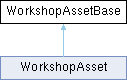
Base structure for all assets from workshop containing partial data of the full asset. More...
Public Member Functions | |
| proto external void | SetEnabledState (bool enabled) |
| Specifies if this asset should be enabled. | |
| proto external EWorkshopAssetState | GetEnabledState () |
| Returns desired state the asset will set as default state when possible. | |
| proto external EWorkshopAssetState | GetState () |
| Returns current state of locally available (downloaded) revision of this asset. | |
| proto external bool | IsCorrupted () |
| Returns true if asset has corrupted data and should not be loaded. | |
| proto external bool | HasData () |
| Returns true if asset has some data locally on the drive. | |
| proto external WorkshopJob | GetPendingJob () |
| Returns currently pending job of this asset. | |
| proto external string | GetGUID () |
| Returns GUID of this asset. | |
| proto external string | GetName () |
| Returns name of this asset. | |
| proto external string | GetSummary () |
| Returns short summary text of this asset. | |
| proto external EWorkshopAssetVisibility | GetVisibility () |
| Returns visibility of this asset. | |
| proto external void | GetTags (out notnull array< WorkshopAssetTag > tagsOut) |
| Returns array containing all tag objects on this asset. | |
| proto external int | GetTagsCount () |
| Returns total count of how many tags are on this asset. | |
| proto external WorkshopUserProfile | GetAuthor () |
| Returns object containing data about author of this asset. | |
| proto external WorkshopRevisionBase | GetLatestRevision () |
| Return latest revision available on the workshop. | |
| proto external WorkshopRevisionBase | GetCurrentRevision () |
| Return revision which is already downloaded and locally available. | |
| proto external BImage | GetPreviewImage () |
| Returns preview image of the asset. | |
| proto external BImage | GetIconImage () |
| Returns icon image of the asset. | |
| proto external bool | DeleteData () |
| This will delete all locally available data of asset on the drive. | |
| proto external void | RequestSubscribe (notnull BackendCallback callback, bool subscribed) |
| Will request change of subscribe state to this asset. | |
| proto external int | GetSubscriberCount () |
| Returns count of how many users have currently subscribed this asset. | |
| proto external int | GetUniqueDownloadCount () |
| Returns count of how many unique users have ever downloaded this asset. | |
| proto external void | RequestRate (notnull BackendCallback callback, float rating) |
| Will request submit of rating to this asset. | |
| proto external float | GetRating () |
| Returns current rating of this asset calculated from all ratings submitted by other users as value 0.0f to 0.1f. | |
| proto external float | GetMyRating () |
| Returns current personal rating of this asset as value 0.0f to 0.1f. | |
| proto external int | GetRatingCount () |
| Returns total count of how many users submitted rating. | |
| proto external void | RequestBlock (notnull BackendCallback callback, bool block) |
| Will request change of blocked state to this asset. | |
| proto external void | RequestReport (notnull BackendCallback callback, EWorkshopReportTypes type, string description, bool block) |
| Will request submit of report against this asset and can be also optionally blocked. | |
| proto external void | RequestDetails (notnull BackendCallback callback) |
| Will request missing details about this asset. | |
| proto external WorkshopAsset | GetWorkshopAsset () |
| Returns full WorkshopAsset structure of this if it was previously requested with successful result. | |
Base structure for all assets from workshop containing partial data of the full asset.
| proto external bool WorkshopAssetBase.DeleteData | ( | ) |
This will delete all locally available data of asset on the drive.
Returns true if delete was successful or if there are no data and false if it failed to delete some data.
| proto external WorkshopUserProfile WorkshopAssetBase.GetAuthor | ( | ) |
Returns object containing data about author of this asset.
| proto external WorkshopRevisionBase WorkshopAssetBase.GetCurrentRevision | ( | ) |
Return revision which is already downloaded and locally available.
This will return null if no revision is downloaded or if some revision is being downloaded without any previous revision present.
During update this will still return previous revision until update is finished.
| proto external EWorkshopAssetState WorkshopAssetBase.GetEnabledState | ( | ) |
Returns desired state the asset will set as default state when possible.
Only possible values this method returns are ENABLED or DISABLED which can be changed via WorkshopAssetBase.SetEnabledState() method.
| proto external string WorkshopAssetBase.GetGUID | ( | ) |
Returns GUID of this asset.
| proto external BImage WorkshopAssetBase.GetIconImage | ( | ) |
Returns icon image of the asset.
| proto external WorkshopRevisionBase WorkshopAssetBase.GetLatestRevision | ( | ) |
Return latest revision available on the workshop.
TODO: These data should be generally fetched during INIT of WorkshopCatalogue
| proto external float WorkshopAssetBase.GetMyRating | ( | ) |
Returns current personal rating of this asset as value 0.0f to 0.1f.
If user did not submit any rating for this asset then returns -1. Refer to note in WorkshopAssetBase.RequestRate for more info how rating values work.
| proto external string WorkshopAssetBase.GetName | ( | ) |
Returns name of this asset.
| proto external WorkshopJob WorkshopAssetBase.GetPendingJob | ( | ) |
Returns currently pending job of this asset.
| proto external BImage WorkshopAssetBase.GetPreviewImage | ( | ) |
Returns preview image of the asset.
| proto external float WorkshopAssetBase.GetRating | ( | ) |
Returns current rating of this asset calculated from all ratings submitted by other users as value 0.0f to 0.1f.
Refer to note in WorkshopAssetBase.RequestRate for more info how rating values work.
| proto external int WorkshopAssetBase.GetRatingCount | ( | ) |
Returns total count of how many users submitted rating.
| proto external EWorkshopAssetState WorkshopAssetBase.GetState | ( | ) |
Returns current state of locally available (downloaded) revision of this asset.
Some operations are not possible to perform in specific states which will be always mentioned in relevant methods.
| proto external int WorkshopAssetBase.GetSubscriberCount | ( | ) |
Returns count of how many users have currently subscribed this asset.
| proto external string WorkshopAssetBase.GetSummary | ( | ) |
Returns short summary text of this asset.
| proto external void WorkshopAssetBase.GetTags | ( | out notnull array< WorkshopAssetTag > | tagsOut | ) |
Returns array containing all tag objects on this asset.
| proto external int WorkshopAssetBase.GetTagsCount | ( | ) |
Returns total count of how many tags are on this asset.
| proto external int WorkshopAssetBase.GetUniqueDownloadCount | ( | ) |
Returns count of how many unique users have ever downloaded this asset.
| proto external EWorkshopAssetVisibility WorkshopAssetBase.GetVisibility | ( | ) |
Returns visibility of this asset.
| proto external WorkshopAsset WorkshopAssetBase.GetWorkshopAsset | ( | ) |
Returns full WorkshopAsset structure of this if it was previously requested with successful result.
| VME | - if you attempt to get full asset when it was previously not requested. |
| proto external bool WorkshopAssetBase.HasData | ( | ) |
Returns true if asset has some data locally on the drive.
| proto external bool WorkshopAssetBase.IsCorrupted | ( | ) |
Returns true if asset has corrupted data and should not be loaded.
If it is true then GetState() should also return CORRUPTED state or other of higher priority.
| proto external void WorkshopAssetBase.RequestBlock | ( | notnull BackendCallback | callback, |
| bool | block ) |
Will request change of blocked state to this asset.
When asset is successfully blocked then this will switch current state into BLOCKED. If asset was previously SUBSCRIBED and downloaded then it should be deleted. If asset is unblocked then current state is set back to NONE.
| VME | - if you attempt to change block into state it currently is in.
|
| proto external void WorkshopAssetBase.RequestDetails | ( | notnull BackendCallback | callback | ) |
Will request missing details about this asset.
Generally when you have partial asset from browsing workshop list or when local asset is loaded at the start of the game. After missing data are successfully fetched you can also retrieve full WorkshopAsset via GetWorkshopAsset().
| proto external void WorkshopAssetBase.RequestRate | ( | notnull BackendCallback | callback, |
| float | rating ) |
Will request submit of rating to this asset.
| rating | - normalized floating-point value in the range 0.0f to 1.0f |
| VME | - if there is already pending request
|
| proto external void WorkshopAssetBase.RequestReport | ( | notnull BackendCallback | callback, |
| EWorkshopReportTypes | type, | ||
| string | description, | ||
| bool | block ) |
Will request submit of report against this asset and can be also optionally blocked.
| type | - type category of the report - needs to be defined by game projects. |
| description | - optional description of the report from user limited to max 1000 characters. |
| block | - optionally asset can be also blocked alongside the report but this cannot be used for unblock. |
| VME | - if length of the description exceeds limits.
|
| proto external void WorkshopAssetBase.RequestSubscribe | ( | notnull BackendCallback | callback, |
| bool | subscribed ) |
Will request change of subscribe state to this asset.
When asset is successfully subscribed then this will switch current state into SUBSCRIBED and in that state the download of revision for this asset will be allowed. If asset is unsubscribed then current state is set back to NONE.
| VME | - if there is already pending request
|
| proto external void WorkshopAssetBase.SetEnabledState | ( | bool | enabled | ) |
Specifies if this asset should be enabled.
If asset is set to enabled then it will be later loaded when possible. This behavior depends on type of the asset and would be generally handled internally.
 1.13.2